
Protecting a PDF file with a password does not automatically guarantee the confidentiality of its content. The PDF format distinguishes between two types of passwords, each offering radically different levels of protection. Understanding this distinction before encrypting a PDF document online helps avoid a false sense of security that persists in most available guides.
Open password and PDF permissions password: two incomparable protections
The PDF format provides two distinct locking mechanisms. The first, the open password (also called the user password), encrypts the content of the file. Without this password, no PDF reader can display the document.
The second, the permissions password (or owner password), does not encrypt the content. It sets flags that inform the reading software whether it should allow printing, copying text, or modification. The ability to encrypt a PDF document online relies on this fundamental distinction between actual confidentiality and simple usage control.
A technical note from Elcomsoft reminds us that the decryption key is provided to any compliant reader regardless of the value of the permission flags. Specialized tools can remove these restrictions in seconds, without needing to crack any password.
| Criterion | Open password | Permissions password |
|---|---|---|
| Content encryption | Yes | No |
| Prevents reading | Yes | No |
| Blocks printing/copying | No (the file is unreadable) | Yes (but bypassable) |
| Resistance to bypassing | Depends on the algorithm and the password | Nearly none with a dedicated tool |
| Recommended usage | Confidential documents | Minimal usage control |
Only the open password constitutes a measure of actual confidentiality. Permission restrictions function like a “no entry” sign on an unlocked door.

AES-128 or AES-256 encryption: what online tools offer
Free online services do not all use the same encryption algorithm. Smallpdf announces AES 128-bit encryption on its free tool. Other platforms offer AES-256, which doubles the key length.
In practice, AES-128 is still considered secure for common uses. No known attack allows it to be broken by brute force within a reasonable timeframe. However, some industry regulations or internal company policies specifically require AES-256.
What matters more than key size
AES-256 encryption applied to a four-character password offers negligible protection. The strength of the password determines the effective resistance of the file. A short or predictable password (birthdate, project name) can be guessed through a dictionary attack in minutes, regardless of the algorithm.
- Preferably use at least twelve characters combining uppercase, lowercase, numbers, and special characters
- Avoid words found in a dictionary or obvious sequences (123456, azerty)
- Use a password manager to generate and store random passphrases
The size of the encryption key only matters if the password protecting it also withstands a systematic attack.
Data transmitted over a remote server: the limits of online encryption
Encrypting a PDF via a web service involves transmitting the unprotected file to a third-party server. During transfer and processing, the document exists in clear text on infrastructure you do not control.
Adobe states that files imported into its online tool are deleted after processing (unless logged into an account). Smallpdf and iLovePDF display similar commitments. None of these services allow you to verify the actual deletion of the file.
When an offline tool becomes preferable
For documents subject to regulatory obligations (health data, personal data under GDPR, legal documents), transferring to an external server can pose a compliance issue. The NIS2 directive, which gradually strengthens encryption requirements, pushes European organizations to control the end-to-end processing chain.
- Desktop software (LibreOffice, PDF printing functions of operating systems) encrypts the file locally without network transit
- Specialized tools like HelpNDoc allow for fine-tuning the level of encryption and permissions directly on the workstation
- For occasional use without regulatory constraints, online services remain suitable as long as the data retention policy is verified
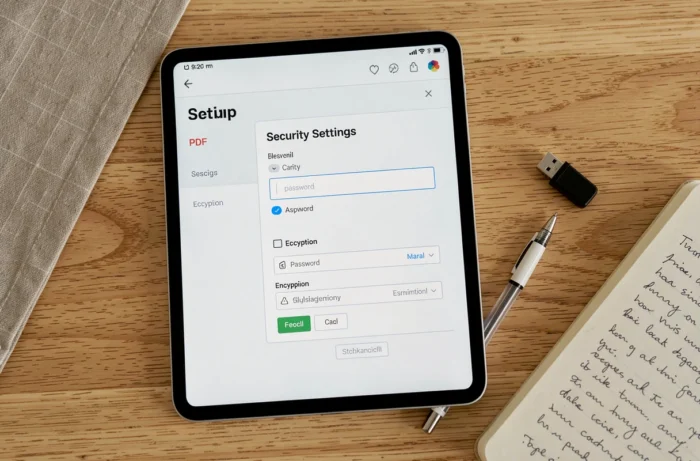
Protecting a PDF online: parameters to check before validating
Online encryption interfaces are intentionally simplified. A few quick checks can ensure that the protection applied meets the actual need.
First, check if the tool applies an open password (content encryption) or just a permissions password. Some services offer both options, while others do not specify which is enabled by default.
Next, verify the announced algorithm. A service that does not indicate the type of encryption used does not allow for evaluating the level of protection. A transparent tool explicitly displays AES-128 or AES-256.
Finally, check the file deletion policy for uploaded files. An announced deletion period (one hour, twenty-four hours) does not equate to immediate deletion after processing.
Encrypting a PDF online fulfills its role correctly for common documents shared via email or stored in the cloud. For highly sensitive files, local processing remains the only guarantee that the document has never left your workstation.